

I spent three months last year auditing AI tool usage for a 40-person marketing firm. What I found shocked the owner. Seventeen employees were pasting client campaign data into personal ChatGPT accounts.
Two were using AI to write social copy for regulated financial clients. Nobody thought they were doing anything wrong. They were just trying to finish work faster. Shadow AI risk mitigation checklist is not about banning tools.
It is about seeing what is already happening and building guardrails that actually work. This guide gives you four practical strategies to do exactly that, based on what I learned in the field and from the latest 2026 research.
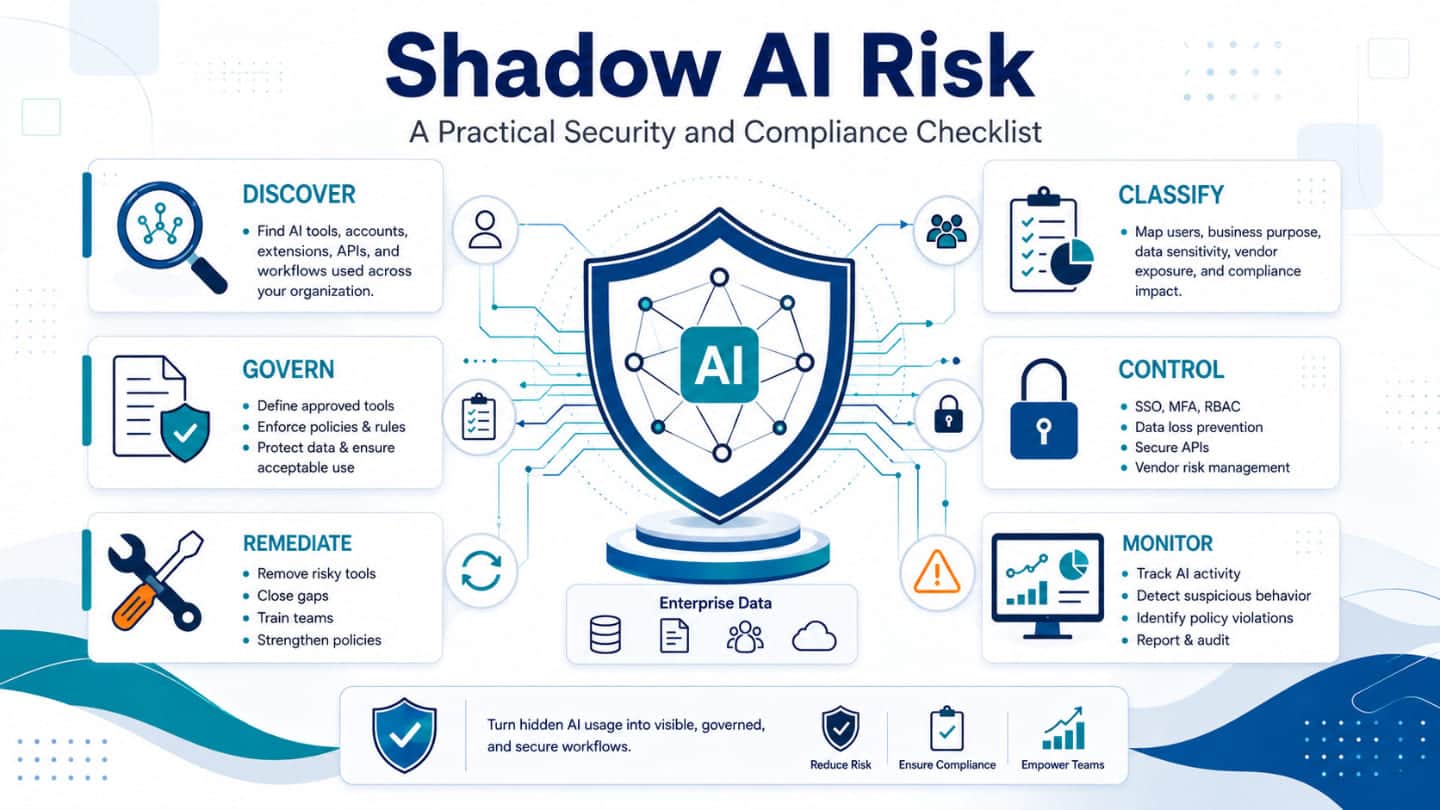
Shadow AI means employees using AI tools that the company has not approved. It is the same pattern as shadow IT from a decade ago. People find tools that help them work faster. They use them without asking.
Read Also: The 2026 B2B Marketing Automation Playbook: Scaling Pipeline with AI Agents
The numbers are brutal. A 2026 study found that 71% of employees admit to using unapproved AI tools at work. Another survey showed 48% of workers have put confidential company information into public AI systems.
IBM’s 2026 Cost of a Data Breach Report found that shadow AI security incidents more than doubled year over year. The average breach involving shadow AI cost $5.39 million.
For small businesses, the risk is even sharper. You do not have a security team watching network traffic. You do not have a CISO reviewing vendor contracts. One employee pasting a client list into a free AI tool can create a regulatory nightmare.
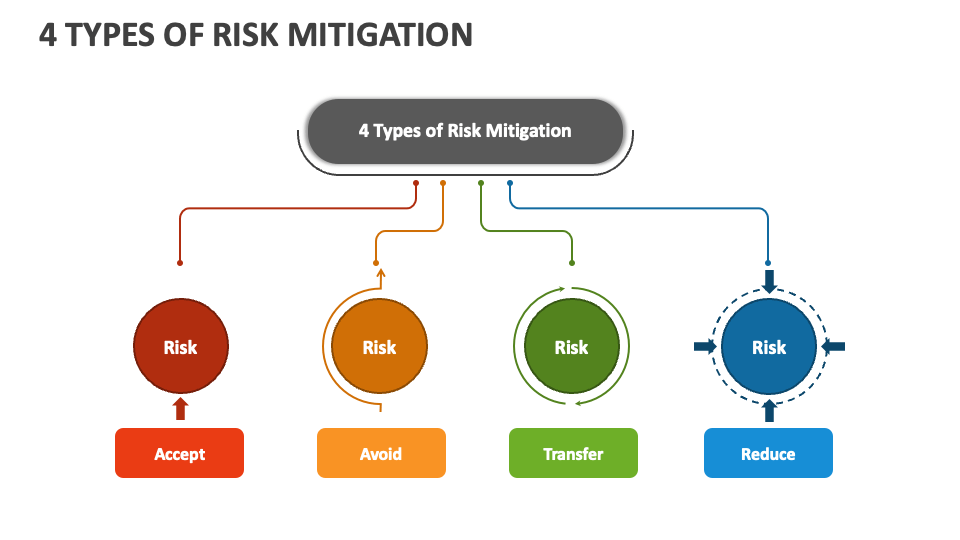
You cannot eliminate shadow AI. The goal is to reduce risk to a manageable level. Here are four strategies that work for businesses with 10 to 500 employees.
You cannot fix what you cannot see. The first step is finding out which AI tools your team already uses.
Start with a simple anonymous survey. Ask people what tools they use for work tasks. Promise no punishment. You will learn more from honesty than from surveillance.
Gartner research shows that 59% of security leaders suspect or have evidence of unsanctioned AI use. Your team is not special. They are already doing it.
You Must Also Like: Top Brand Campaigns that Redefined Consumer Attention
Then check your network logs. Many AI tools operate over standard HTTPS traffic. They look like regular web browsing. You need SSL inspection or specialized tools to see them. For small businesses without those tools, start with the survey. It costs nothing and reveals a lot.
Create an AI registry. Every AI tool used for work gets logged. The registry should include who uses it, what data goes into it, and what business purpose it serves. This is not about control. It is about knowing your baseline.
Blocking AI tools without offering alternatives pushes usage further underground. Employees will use personal phones and home computers. You lose visibility completely.
The National Cyber Security Centre in the UK recommends a positive security culture. Understand why people use shadow AI. Then provide secure options that meet those needs.
For small businesses, this means buying team licenses for at least one major AI platform. ChatGPT Team, Microsoft Copilot, and Claude for Work all offer business-grade data protections. They do not train on your data. They offer admin controls and audit logs.
One manufacturing client I worked with bought 25 Copilot licenses for $30 per user per month. That is $750 monthly. The cost of one data breach involving customer pricing data would have exceeded that for years. The math is simple.
Policy documents that run 20 pages do not work. Nobody reads them. Nobody remembers them. You need rules that fit on one page and address real scenarios.
Start with data classification. Define three tiers: public, internal, and confidential. Public data can go into any approved AI tool. Internal data needs approved tools with data processing agreements. Confidential data stays out of all AI tools unless specifically approved.
Then define approved use cases. Marketing copy, internal summaries, and code debugging are usually safe. Client contracts, HR records, and financial projections are not.
Make the rules visible. Put them in Slack. Print them. Repeat them in team meetings. One SMB I know put a sticker on every laptop that says: “Confidential data does not go into AI tools. Ask first.”
Shadow AI inventory decays fast. New tools launch weekly. Browser extensions update permissions. Approved SaaS platforms quietly add AI features without telling IT.
Build a quarterly AI review into your existing security rhythm. Check the registry. Ask department heads what new tools their teams use. Review vendor contracts for embedded AI features.
Forcepoint research found that organizations managing shadow AI through governance technologies outperform those relying on restriction alone. The key word is governance, not prohibition.
Here is a practical checklist you can implement this quarter.
Not every employee needs the same AI access. A developer with production database credentials poses different risks than a marketing coordinator writing social posts.
Map AI tool permissions to data sensitivity and role function. Finance and HR need tighter controls. Marketing and internal communications can operate with lighter policies.
This prevents two problems. It stops over-restriction in low-risk roles that creates workarounds. It also closes access points where sensitive data is genuinely at stake.
Approved software vendors are becoming shadow AI entry points. Project management tools, CRM platforms, and productivity suites have all added AI features without prominent announcements.
Add a review step to your vendor management process. Require vendors to notify IT before enabling AI functionality that touches user data. If your last AI app audit was six months ago, the inventory is already stale.
Treat AI audits as continuous, not periodic. Build AI app reviews into your quarterly security cycle. Treat the output as a living document, not a one-time project.
The 247-day average detection time for data breaches cited in IBM’s report reflects exactly this visibility gap. You cannot afford six months between audits.
The most effective control happens before data reaches an AI system. Data minimization means ensuring only the minimum content necessary for a task ever reaches the model.
Train employees to strip identifying information before using AI tools. Remove client names. Remove account numbers. Remove anything that would trigger a breach notification if leaked.
This is harder than it sounds. People copy and paste entire documents. But even partial adoption reduces exposure significantly.
Banning AI without alternatives. This is the worst option. It pushes usage underground. You lose all visibility. IBM’s 2026 report confirms that organizations using governance technologies outperform those relying on restriction alone.
Assuming IT knows about all AI use. AI interactions over HTTPS look identical to regular web traffic. Most unauthorized AI sessions are invisible to standard security tools. You discover shadow AI during audits or breaches, not proactively.
Treating shadow AI as a developer problem only. Marketing uses AI writing tools. HR uses AI screening tools. Finance uses AI forecasting tools. Developers are one vector among many.
Believing a corporate AI license solves everything. An employee on a corporate AI account can still paste regulated data into it. Shadow AI is a data control problem as much as an access problem.
Shadow AI risk mitigation checklist is not about stopping AI. It is about seeing what is already happening. Start with visibility. Give people approved alternatives. Set rules that fit on one page. Audit quarterly. Those four steps will reduce your risk more than any expensive tool.
The small business owner I mentioned at the start implemented these steps over six weeks. No new security software. No consultants. Just a survey, a policy, and 25 Copilot licenses.
The personal ChatGPT usage stopped. The work got faster. The risk dropped from unknown to manageable. That is the goal. Not perfection. Just knowing what is happening and having a plan for when something goes wrong.